


Connecting 1C databases - How to add a file database to 1S - Easy way, clear instructions with pictures.
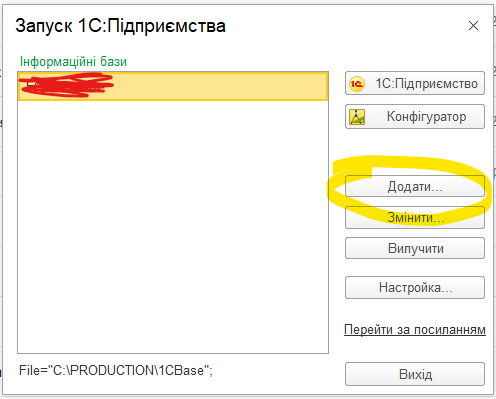
- How to add a 1C database to the start window. First, you need to determine the paths to the required Databases (DB). You can do this by opening 1C for another user who works with already connected databases, and select those that need to be connected, at the bottom of the window, copy the path (the part that looks like C: \ PRODUCTION \ 1C-Base ...) to the selected database, for example:

- To connect the database, you must click the "Add" button in the start window or, when you first start, agree to add the database, select "Add an existing database":


- Add the location of the database in one of the following ways:
- Enter the name of the database, paste the path to the database, click the following:

- Click the three dots at the end of the field to enter the path

- Enter the name of the database, paste the path to the database, click the following:


Select the desired folder and click Select folder:
- Done, click OK
